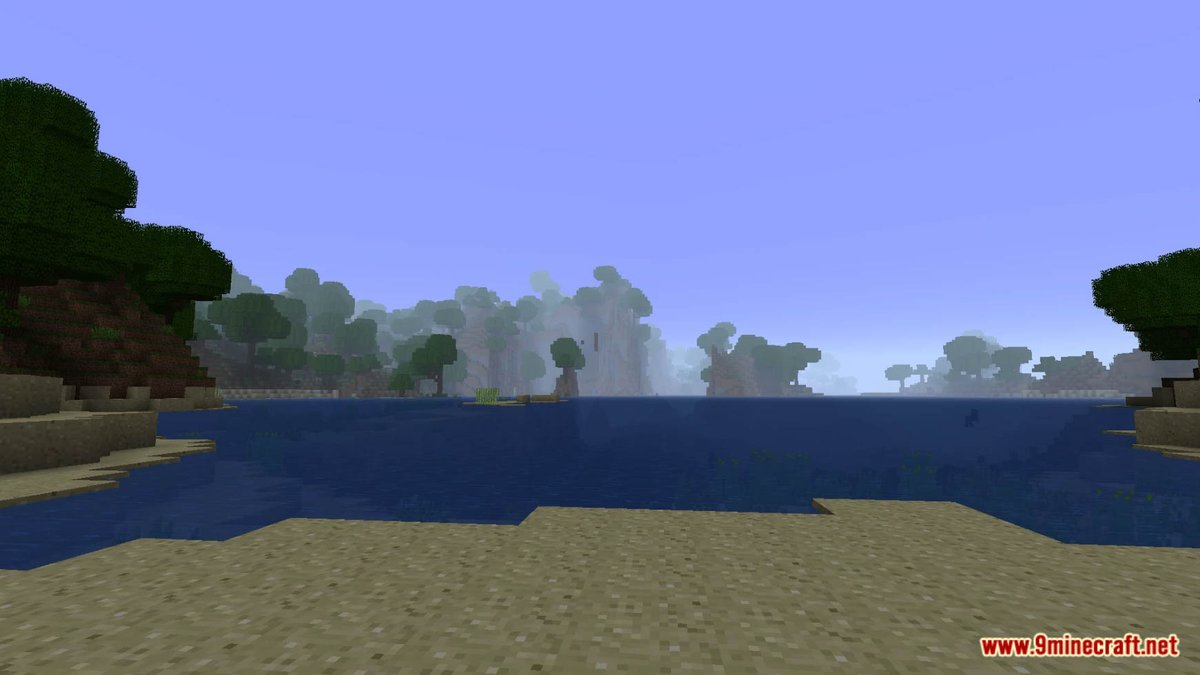
Ever felt like your Minecraft world could use a little more… oomph? That vanilla landscapes, while classic, sometimes lack the epic grandeur, hidden depths, or unique charm you crave? You’re not alone. For countless players, the real magic of Minecraft begins when you start Comparing Popular World Generation Modpacks to fundamentally reshape the very fabric of your game world. These aren't just minor tweaks; they're complete overhauls that transform mundane terrain into breathtaking vistas, simple structures into intricate challenges, and predictable biomes into unexplored frontiers.
Ready to dive into a Minecraft experience where every journey feels fresh and every horizon promises something new? Let's explore the tools that let you build that world, block by block.
At a Glance: Crafting Your Perfect Minecraft World
- World generation mods drastically alter terrain, biome distribution, and structure placement, making exploration endlessly engaging.
- Compatibility is key: Most require Minecraft Java Edition 1.20+ and loaders like Forge, Fabric, or Quilt.
- Biome overhauls (Terralith, Biomes O’ Plenty) introduce vast new ecosystems, from realistic forests to fantastical floating islands.
- Structure enhancers (Repurposed Structures, Towns And Towers, YUNG's mods) inject more variety and challenge into points of interest.
- Dimension-specific mods (Incendium, Formations Nether) completely revamp the Nether or End, pushing exploration beyond the Overworld.
- Subtle details (Geophilic) can enhance existing biomes without radically changing the core feel.
- Mixing and matching mods is possible but requires careful consideration of potential conflicts.
- Choosing the right modpack depends entirely on what kind of adventure you want to have.
Why Reshape Your World? The Appeal of Procedural Wonder
Vanilla Minecraft's world generation is a marvel of procedural design, but after hundreds of hours, you start to recognize patterns. The same villages, the familiar desert temples, the predictable cave systems. World generation modpacks exist to shatter that predictability. They introduce entirely new biomes, redefine existing ones, add thousands of unique structures, and even transform entire dimensions like the Nether into alien landscapes.
This isn't just about aesthetics; it's about gameplay. More varied terrain encourages diverse base designs. Unique structures offer fresh challenges, puzzles, and rewards. Enhanced biomes mean you'll need new strategies for survival, resource gathering, and exploration. Ultimately, these mods inject a powerful sense of discovery back into Minecraft, making you feel like a true pioneer once more.
The Foundation: Understanding Compatibility & Loaders
Before you embark on your world-shaping journey, it's crucial to understand the technical groundwork. All popular world generation modpacks discussed here are designed for Minecraft Java Edition 1.20+. They also require a mod loader to function. The three main contenders are:
- Forge: The veteran mod loader, known for its extensive library and stability, though sometimes slower to update.
- Fabric: A lighter, more modern loader, often preferred for its speed and more rapid updates, especially popular with performance-focused mods.
- Quilt: A fork of Fabric, maintaining compatibility while offering some unique features and a distinct development path.
Always check which loader a mod requires before downloading. Attempting to run a Fabric mod on a Forge instance (or vice-versa) simply won't work.
The Big Biome Overhauls: Redefining Your Horizon
When you dream of a completely fresh world, these are the mods that deliver. They don't just add a few new trees; they redefine entire ecosystems, creating landscapes that are either hyper-realistic, fantastically alien, or a blend of both.
Terralith: A World Reimagined, Close to Vanilla
Terralith stands out as a colossal overhaul, adding nearly 100 new biomes while also enhancing vanilla ones. What makes Terralith particularly compelling is its approach: it uses only vanilla blocks. This means you get incredibly varied terrain – towering mountains, deep canyons, intricate cave biomes, and unique land formations – without introducing new blocks that might conflict with other mods or feel out of place. It’s a fantastic choice if you want a dramatically different world that still feels inherently "Minecraft."
- Key Strengths: Massive biome variety (realistic and fantasy), improved vanilla biomes, new cave biomes, uses only vanilla blocks (great for compatibility and aesthetic consistency).
- Best For: Players seeking a radically different Overworld without new blocks, valuing compatibility, and enjoying diverse exploration.
Biomes O’ Plenty: The Classic Choice for Abundant Ecosystems
For years, Biomes O' Plenty has been synonymous with biome diversity. It introduces dozens of fresh, unique, and natural-looking biomes across the Overworld, Nether, and End. From lush "Bamboo Forests" to haunting "Ominous Woods" and even surreal "Nether Wastes," this mod offers an incredible range of environments. Unlike Terralith, Biomes O' Plenty often introduces new blocks, trees, and flora specific to its biomes, which contribute to its distinct visual identity but can sometimes lead to block ID conflicts with other large mods.
- Key Strengths: Huge variety of unique biomes, extends to all dimensions, distinct visual style with new blocks.
- Best For: Players who want a classic, well-established biome mod with unique flora and fauna, and don't mind new blocks being introduced.
- Consider also: The similarly ambitious Oh the biomes you'll go, which also delivers a massive array of new biomes and structures, often with a more fantastical flair. It's another excellent option for those craving maximum biome diversity.
Structure & Dungeon Generators: Filling Your World with Purpose
Beyond beautiful landscapes, a world needs points of interest. These mods ensure that every cave entrance, every distant tower, or every new biome holds the promise of an adventure, a challenge, or a treasure.
Repurposed Structures: Vanilla, but Better and Bigger
Imagine if every vanilla structure had a dozen different versions. That's Repurposed Structures. This mod takes existing elements like mineshafts, temples, mansions, and villages, and creates a wealth of new variants. You'll find over 10 mineshaft types, 15 jungle/desert temple variants, 5 mansion/witch hut types, and 10 village types/spawn formations. This drastically increases the replayability of exploration within familiar contexts, making finding a temple feel genuinely exciting again.
- Key Strengths: Huge variety of existing structures, enhances vanilla exploration without adding completely new types of structures, great for maintaining a vanilla-plus feel.
- Best For: Players who love vanilla structures but want far more diversity and surprise within those existing archetypes.
Towns And Towers: Living, Breathing Villages
Towns And Towers revamps village generation, creating dynamic, biome-fitting architecture and layouts. No longer will you find the same blocky houses everywhere. Instead, villages will truly feel like organic parts of their environment, with unique designs that make them more visually appealing and immersive. This mod breathes new life into social interaction and trade aspects of the game.
- Key Strengths: Biome-specific village architecture, dynamic layouts, enhances immersion in populated areas.
- Best For: Players who want more realistic and varied settlements, making interactions with villagers more engaging.
Better Mineshafts & Better Desert Temples: Specific Overhauls
Some mods focus on perfecting particular structures. Better Mineshafts adds 13 biome variants for mineshafts, abandoned outposts, and the potential for richer ore deposits. This means underground exploration feels more integrated with the surface biome and offers more distinct rewards.
Similarly, Better Desert Temples completely redesigns vanilla desert temples with larger exteriors and enhanced interiors. Expect new puzzles, traps, and parkour challenges guarding improved loot. It even applies a Mining Fatigue debuff upon entry, making these temples genuinely challenging encounters rather than simple treasure hunts.
- Key Strengths: Deep, specialized enhancements for specific vanilla structures, adding challenge and unique rewards.
- Best For: Players who want to elevate the challenge and intrigue of specific structure types without overhauling everything.
Explorify: Medium-Sized Surprises Everywhere
Explorify aims to reduce bland terrain by incorporating unique, medium-sized structures into the Overworld, Nether, and End. These aren't mega-dungeons, but rather interesting points of interest that break up monotonous landscapes and encourage continuous exploration. Think small ruins, unique natural formations, or minor bandit camps.
- Key Strengths: Fills empty spaces with diverse, medium-sized structures across all dimensions, improving continuous exploration.
- Best For: Players seeking constant small discoveries and less "empty" travel between major landmarks.
The Dungeon Delvers: YUNG's Mods & When Dungeon Arise
Beyond these, several mod groups specialize in adding significant dungeon content. YUNG's mods are renowned for overhauling vanilla structures like caves, strongholds, and deserts, making them vastly more intricate, expansive, and filled with loot. For example, YUNG's Better Caves creates massive cave systems with unique biomes, while YUNG's Better Strongholds makes finding the End portal a multi-stage adventure. When you're looking for more complex underground challenges, YUNG's mods are a must-see, and you can delve deeper into them to reshape your subterranean world.
For an even grander scale of challenge, consider mods like When dungeon arise. This mod introduces massive, sprawling dungeons of various themes and difficulties into your world, turning exploration into a perilous, rewarding quest for unique gear and untold riches. These dungeons are not for the faint of heart, often requiring careful planning and combat prowess.
- Key Strengths: YUNG's mods significantly enhance vanilla structures into complex dungeons; When dungeon arise adds massive, challenging new dungeons.
- Best For: Players craving extensive dungeon crawling, challenging combat encounters, and unique loot behind formidable trials.
Nether Revampers: A Hellish New Experience
The Nether, while visually distinct, can also become repetitive. These mods offer complete overhauls, making trips to the fiery dimension an entirely new experience.
Incendium: Vanilla Blocks, Alien World
Incendium is a masterclass in re-imagining the Nether using only vanilla blocks. This mod delivers a large-scale, completely redesigned Nether with breathtaking (and terrifying) new biomes and structures. The genius here is its compatibility: because it only uses vanilla blocks, it can run server-side, allowing vanilla clients to join – a huge advantage for multiplayer servers where not everyone wants to install mods. It transforms the Nether into a truly alien and perilous landscape without breaking the game for unmodded players.
- Key Strengths: Complete Nether overhaul using only vanilla blocks, server-side compatibility for vanilla clients, dramatic and challenging new biomes.
- Best For: Server owners wanting to transform the Nether for everyone, players who want a truly new Nether experience while maintaining vanilla block aesthetics.
Formations Nether: More Structures, Deeper Lore
Formations Nether adds numerous new structures and formations to the Nether, enriching its exploration potential. While Incendium focuses on massive biome changes, Formations Nether excels at populating the existing (or modded) Nether with interesting points of interest, from small ruins to larger, more complex formations that hint at deeper lore and challenges.
- Key Strengths: Adds many new structures and formations to the Nether, enhancing points of interest.
- Best For: Players who want a more "populated" and intriguing Nether, regardless of the underlying biome generation mod.
Subtle Environmental Enhancers: The Details That Matter
Sometimes, it's not about radical change but about perfecting the details. These mods enhance the existing world with natural-feeling additions.
Geophilic: The Touch of Realism
Geophilic excels at enhancing existing biomes with subtle, natural-feeling changes using vanilla assets. This means you'll see more rocks, fallen trees, unique bushes, varied tree stumps, moss, and redesigned tree types that make biomes feel richer and more organic. It’s like a high-definition texture pack for world generation, focusing on adding natural clutter and diversity without altering the core terrain dramatically.
- Key Strengths: Subtle, natural enhancements to existing biomes, uses only vanilla assets, improves visual realism without radical changes.
- Best For: Players who love the vanilla aesthetic but want more natural detail, realism, and variety within familiar biomes.
Crafting Your Ideal World: How to Choose and Combine
Deciding which modpacks to use can feel overwhelming, but a systematic approach helps.
1. Define Your Vision
What kind of world do you want?
- Epic Fantasy? Look for mods with fantastical biomes (Biomes O' Plenty, Terralith's fantasy biomes), large dungeons (When dungeon arise), and unique structures.
- Realistic Wilderness? Prioritize mods like Terralith (realistic biomes), Geophilic (natural details), and perhaps Better Mineshafts for more varied underground.
- Challenge & Adventure? Focus on structure-heavy mods (Repurposed Structures, YUNG's mods, Better Desert Temples) and demanding Nether overhauls (Incendium).
- Vanilla-Plus? Mods that enhance existing elements without adding new blocks (Terralith, Repurposed Structures, Geophilic, Better Mineshafts) might be your sweet spot.
2. Consider Compatibility
This is perhaps the most critical step.
- Mod Loader: Ensure all your chosen mods support the same loader (Forge, Fabric, or Quilt).
- Version: Double-check that all mods are updated for your Minecraft version (Java Edition 1.20+).
- Direct Conflicts: Large biome overhauls (Terralith, Biomes O’ Plenty, Oh the biomes you'll go) often conflict with each other or specific structures from other mods if not configured carefully. You typically pick one primary biome generator. Mods like Repurposed Structures or YUNG's mods often work well with a primary biome mod, as they add structures within the generated biomes.
- Configuration: Many mods offer extensive configuration files. Learning to tweak these can help resolve minor conflicts or customize generation to your liking.
3. Start Small, Test Often
Don't install 20 mods at once. Start with your primary biome mod, then add structure mods one or two at a time. Launch your game, create a new world, and fly around (/gamemode creative, then use spectator or creative flight) to see if everything is generating as expected. Look for:
- Unusual block glitches: Patches of missing blocks, odd textures.
- Overlapping structures: Two structures generating on top of each other.
- Performance issues: Significant lag or stuttering.
4. Optimize for Performance
More complex world generation can be resource-intensive.
- Shaders: While beautiful, shaders can significantly impact performance, especially on heavily modded worlds.
- Render Distance: Experiment with lower render distances to find a balance between visuals and FPS.
- Performance Mods: Consider adding general performance-enhancing mods (e.g., Sodium, Lithium, Starlight for Fabric/Quilt; OptiFine or Rubidium/Oculus for Forge) before installing world generation mods to give yourself a solid baseline.
Beyond the Basics: Installation & Troubleshooting Tips
Installing world generation mods follows the same general process as any other Minecraft mod:
- Install your chosen Mod Loader: Download and install Forge, Fabric, or Quilt for your Minecraft version.
- Download Mods: Get the
.jarfiles for your desired world generation mods from reputable sources (CurseForge, Modrinth). - Place in Mods Folder: Put the
.jarfiles into themodsfolder within your Minecraft directory. - Launch Game: Select the modded profile from the Minecraft launcher.
Common Pitfalls to Avoid:
- Downloading the wrong version: Always match the mod version to your Minecraft version and mod loader.
- Too many biome mods: As mentioned, trying to run multiple large biome overhauls (Terralith AND Biomes O’ Plenty) usually leads to conflicts, crashes, or broken generation. Choose one primary.
- Ignoring mod dependencies: Some mods require other "library" mods to function. Check the mod page for any listed dependencies.
- Old saves: While sometimes possible, it's generally best to start a new world when adding significant world generation mods to avoid chunk errors or strange terrain transitions.
Frequently Asked Questions About World Generation Modpacks
Can I combine different world generation mods?
Yes, often. You can typically combine one major biome overhaul (like Terralith) with several structure-adding mods (like Repurposed Structures, Explorify, or YUNG's mods). Mods that focus on different aspects (biomes vs. structures vs. Nether) are more likely to be compatible. Always test combinations.
Do world generation mods affect performance?
Absolutely. Generating more complex terrain, more structures, and more varied biomes requires more processing power. Expect a potential dip in FPS, especially when first loading new chunks. Using performance mods and optimizing game settings can mitigate this.
Can I add these mods to an existing world?
You can, but it's generally not recommended for large world generation overhauls. New biomes and structures will only generate in newly explored chunks. This can lead to unsightly "chunk borders" where vanilla terrain abruptly meets modded terrain. For the best experience, start a fresh world. Smaller detail mods like Geophilic or minor structure tweaks might be less impactful on existing worlds.
Are these mods available for Bedrock Edition?
No, these specific mods are designed for Minecraft Java Edition and utilize its modding API. Bedrock Edition has its own addon system (behavior packs, resource packs), but the depth and complexity of world generation changes offered by these Java mods are generally not achievable on Bedrock.
How do I uninstall a world generation mod?
Simply remove its .jar file from your mods folder. If you want to revert to a completely vanilla world, you'll need to create a new world without any mods installed, as the changes are written into the world save data itself.
Finding Your Horizon: Your Next Steps
The world of Minecraft modding is vast and exhilarating, especially when it comes to shaping the very ground you walk on. Whether you're chasing the serene realism of Geophilic, the epic scale of Terralith, the classic diversity of Biomes O' Plenty, or the intricate challenges of YUNG's mods, there’s a combination out there waiting to create your perfect game.
Don't be afraid to experiment. Spend time in creative mode exploring new worlds generated by different mods. Read descriptions carefully, check compatibility, and back up your saves. This iterative process of discovery is part of the fun.
Ready to explore even more options and dive deeper into transforming your Minecraft experience? You can always Find the best world generation mods for a broader look at what's available and get even more ideas for your next adventure. Your ideal Minecraft world isn't just out there; with the right modpacks, you can build it.